 Wishlist


What really matters (and what you can ignore)
Start by asking two simple questions: where will you record, and who needs studio‑grade audio? If you stream from a quiet room and want easy setup, connection type and noise rejection are the most important choices. You can safely ignore marketing specs like “studio sample rates” unless you plan to record music or high‑res podcasts; 44.1–48 kHz at 16–24 bit is plenty for voice.
Focus on four practical factors: connection (USB vs XLR), mic type (dynamic vs condenser), polar pattern (how well the mic rejects room noise), and monitoring/latency. The right balance depends on whether you’re doing solo live commentary, co‑hosted shows, console streaming, or recording voice for edits.
Choosing the right microphone for gaming by use case
Match the mic to how you actually stream:
- Solo live streamer on PC or console — a cardioid dynamic or USB condenser gives clear voice and rejects game/room noise; low setup friction is key.
- Podcast-style or multi-host streaming — XLR dynamics into a mixer/audio interface are common because they let you control levels and handle multiple mics reliably.
- Music or ASMR content + gaming — condenser microphones capture detail but need a quiet treated room and a pop filter.
- Console-only streamers — USB mics that can connect via capture card or directly to console (or a mixer) are easiest; check console compatibility.
- Tournament/competitive streaming — low latency monitoring and a mic with solid off-axis rejection (cardioid) prevent breath and chair noise from leaking into game audio.
Connection and upgrade path: USB vs XLR
USB microphones are plug‑and‑play. They’re ideal for newcomers or anyone who prioritizes simplicity. XLR mics need an audio interface or mixer but offer better long‑term flexibility, lower latency options, and often higher headroom for loud voices.
Two relevant options
Choose USB if you want fast setup with minimal extra gear. Choose XLR if you plan to add multiple mics, want tactile mixer controls, or intend to move toward more advanced audio processing.
Microphone type and polar pattern: what cuts background noise
Two mic technologies dominate gaming streams:
- Dynamic mics — less sensitive, handle loud sources, and naturally reject room noise; great for noisy rooms or close‑proximity talking.
- Condenser mics — more sensitive and detailed; require low‑noise environments and sometimes phantom power (for XLR condensers).
Polar patterns control pickup area. Cardioid is the default for single‑person streaming because it captures what’s in front and reduces side/rear noise. Hypercardioid and supercardioid tighten that focus further (at the cost of strict placement). Omnidirectional is rarely ideal for gaming because it captures all room sound.

Practical accessories: mounts, pop filters, shock mounts and monitoring
Accessories often matter more than small differences between mics:
- Boom arm or articulated stand — keeps the mic stable and places it close to your mouth without blocking peripherals.
- Shock mount — reduces desk thumps and keyboard vibration.
- Pop filter or foam windscreen — softens plosives (p/b/t sounds) for clearer voice in live chat.
- Direct monitoring — zero‑latency headphone monitoring is crucial; check whether a mic or interface supports it.
Good placement beats higher‑priced gear: position the mic 6–12 inches from your mouth, slightly off‑axis to cut plosives, and angle it away from your monitor/speakers to reduce bleed.
Room noise, gain staging and software tools
Before spending on acoustic treatment try practical fixes: lower monitor volume, use directional mic technique, and enable push‑to‑talk where appropriate. Use software filters (noise gate, noise suppression, and compression) sparingly to tighten voice levels. If you're on Windows, check for platform-specific enhancements that can introduce latency—disable them when recording for post or tournament streaming.
Compatibility, latency and platform quirks
Check platform compatibility before buying: consoles often accept USB mics through USB ports or require routing via a capture card/mixer. For multi‑host recordings, ensure your interface/mixer supports the number of simultaneous XLR inputs you need. Latency is mostly an issue with live monitoring; interfaces with direct monitoring or low‑latency drivers (ASIO on PC) solve this.
Quick product recommendation logic
Use the product compare above to see two practical options: a simple USB gaming mic that’s plug‑and‑play, and a USB/XLR hybrid that gives an upgrade path to full XLR setups. Pick the USB model if you want the least setup friction; pick the hybrid/XLR option if you expect to add mixers, multiple mics, or stream co‑hosts in the future.
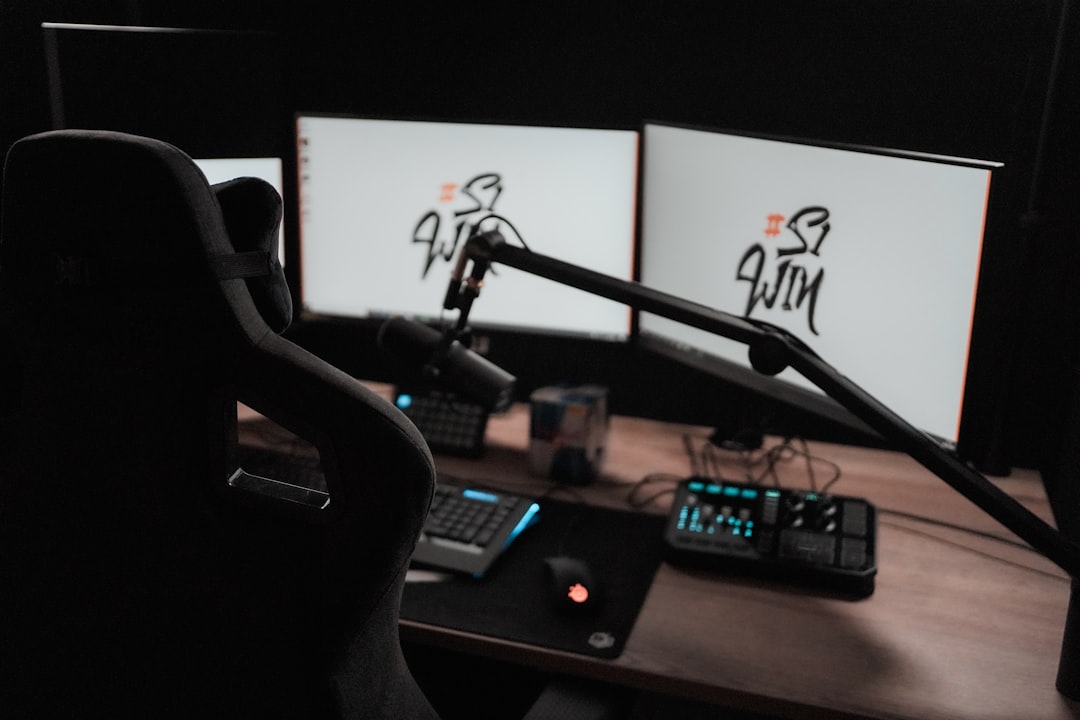
For more mic choices and accessories, see the site's gaming microphones collection.
- Decide whether plug‑and‑play (USB) or upgradeable (XLR) fits your plans.
- Test mic placement in your actual streaming position before finalizing a purchase.
- Prioritize cardioid/dynamic mics if your room is noisy; choose condenser only in a treated room.
- Confirm direct monitoring and console compatibility if you stream live gameplay.
- Budget for a boom arm and shock mount—these improve sound more than small spec increases.
Pick a microphone that matches your streaming environment and future plans: USB for simplicity, XLR for expandability; dynamics for noisy rooms, condensers for treated quiet spaces. Invest in a good mount, monitoring, and placement—those choices often matter more than a slightly pricier mic.
Do I need an XLR microphone to sound professional?
No—many USB mics deliver excellent voice quality for streaming. Choose XLR if you plan to add mixers, multiple mics, or advanced audio processing later.
Which mic type is best if my room is noisy?
Dynamic microphones with a cardioid pattern are best at rejecting room noise because they are less sensitive to distant sounds.
Can I use a gaming headset mic instead of a standalone mic?
Yes—modern headset mics are convenient and often sound fine for casual streams, but a standalone mic usually offers clearer and more natural voice capture.
How important is monitoring/latency when streaming?
Very important—zero‑latency or low‑latency monitoring helps you speak naturally and prevents distracting echo during live streams or tournaments.
What simple software fixes improve voice clarity?
Use a noise gate to cut silence, gentle compression to level volume, and noise suppression only if the mic or environment requires it—overuse can sound processed.